
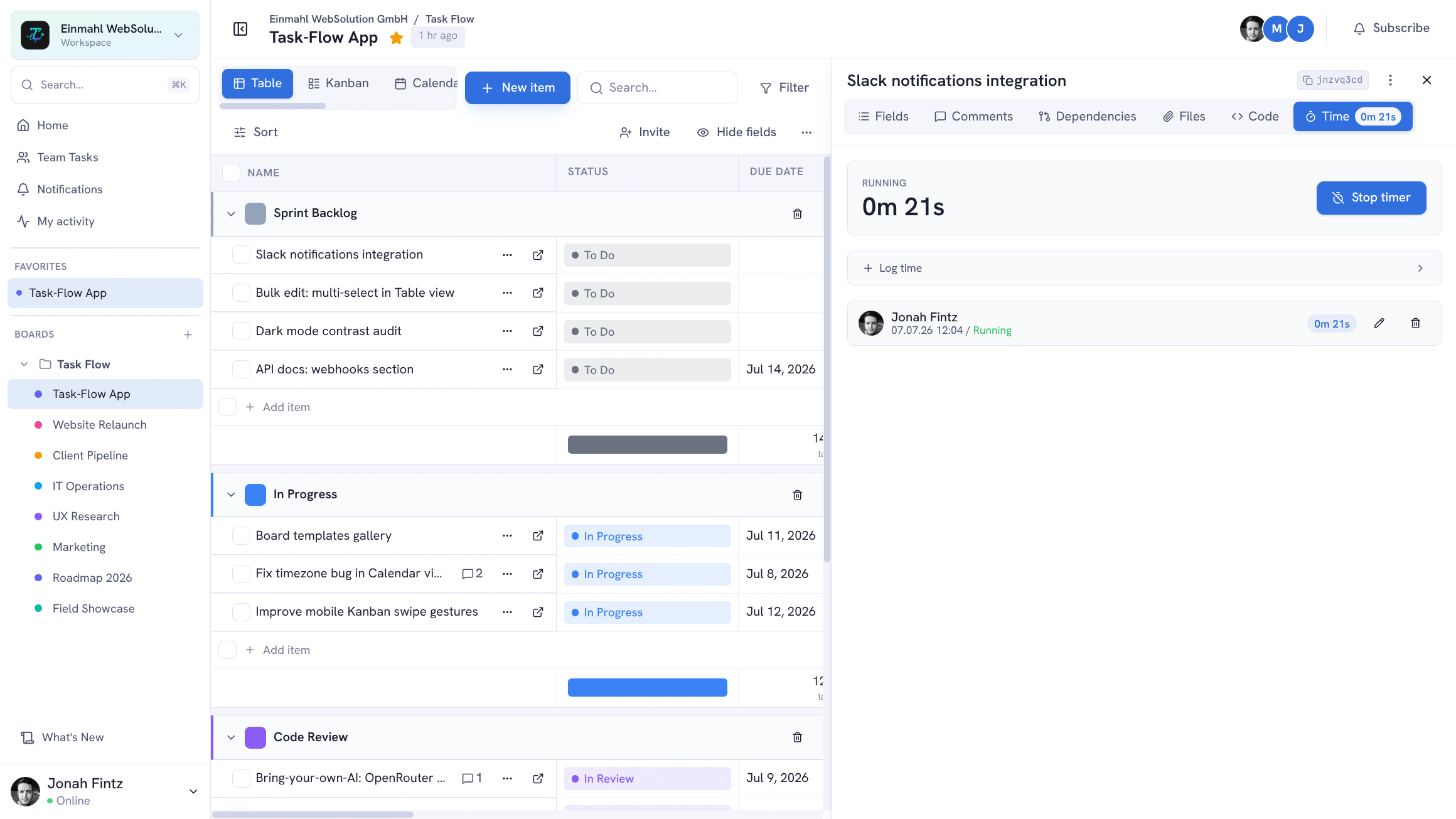
Time tracking built into your task management — not bolted on from a third-party tool. Every time entry lives next to the task it belongs to.
Manual Time Entries
Open any item and add a time entry with:
- Duration — hours and minutes
- Date — when the work was done
- Note (optional) — a description of what was done
Multiple entries per item, from multiple team members. The total logged time is shown on each item.
Timer Mode
Start a live timer directly from an item. The timer runs server-side in the background — continue working on the task, navigate away, or even close the browser. Stop the timer when you’re done and the duration is logged automatically.
Per-Item Aggregation
Each item shows its total logged time at a glance. Drill down to see individual entries, who logged them, and when.
Use Cases
Agency billing: Log time per client task. Filter the board by client, sum logged hours, and generate invoices with accurate data.
Team capacity: See how much time each team member has logged this week. Identify overloaded members before it becomes a problem.
Project estimation: Compare estimated vs. actual time across completed items to improve future estimates.
Freelance tracking: Log all client work in one place. No separate time tracking app needed.
API Access
All time entries are accessible via the REST API (/api/items/:id/time-entries). Pull data into your reporting tools or generate custom billing exports.