
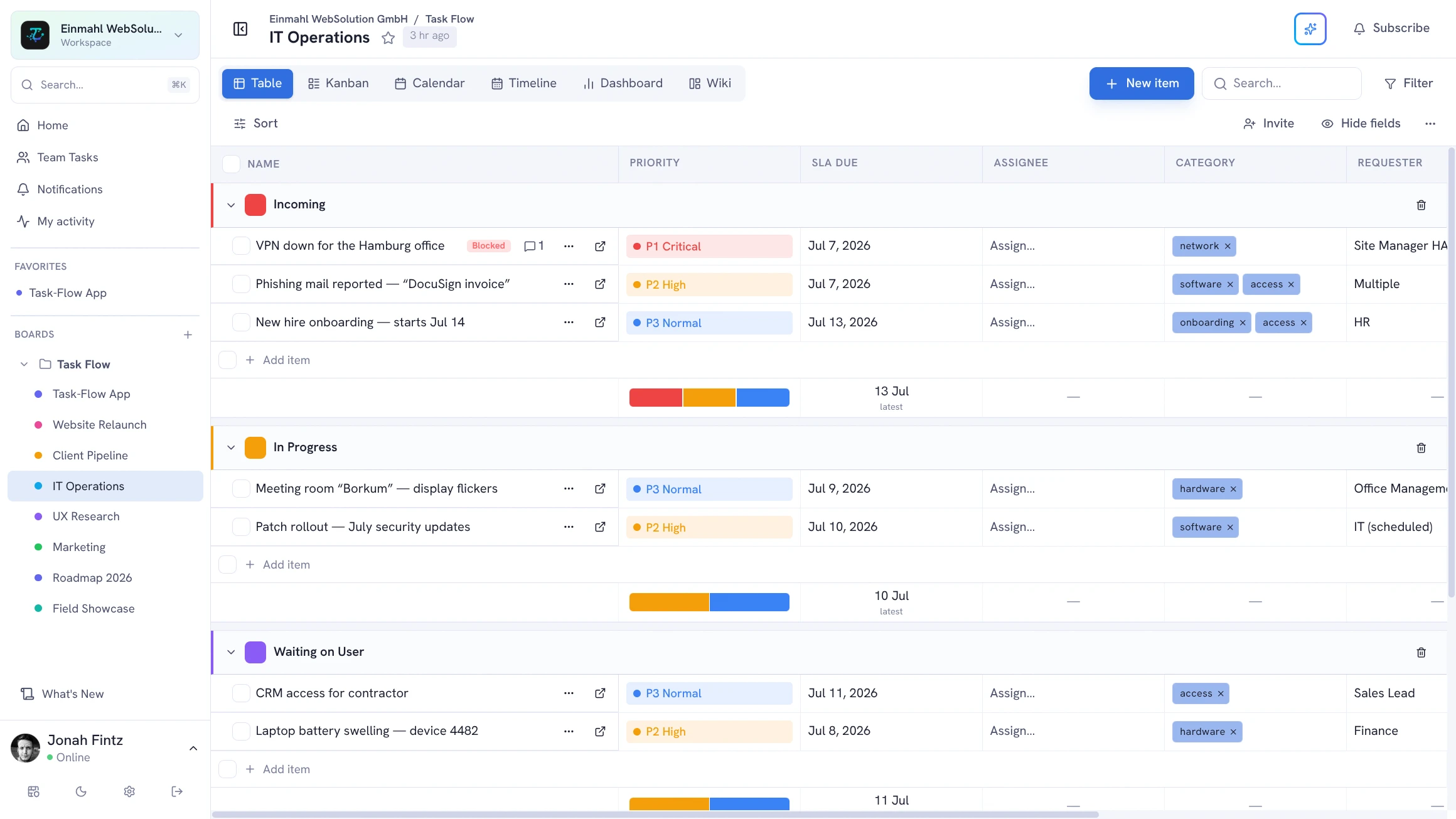
Operations work is process-heavy and coordination-intensive. TskVlo gives ops teams the structure to define processes clearly, assign ownership explicitly, and ensure nothing falls through the cracks.
SOPs as Task Descriptions
Write standard operating procedures directly in task descriptions using Markdown. Headers, numbered steps, code blocks, and tables render cleanly. The SOP lives next to the task it describes — version-controlled through the activity log.
When the process changes, update the description. The activity log shows who changed it and when — no separate documentation system needed for routine ops tasks.
Clear Ownership with PERSON Fields
Create “Owner” and “Reviewer” custom fields on every board. Every task has a named person responsible — not a vague team assignment. Combine with automation: when a task moves to “In Review”, automatically notify the Reviewer field’s assignee.
Recurring Task Automation
TskVlo has built-in recurring tasks. Open any task and set a recurrence — daily, weekly, monthly, or a custom interval such as “every 2 weeks”. The moment you mark it done, the next occurrence is created automatically: same fields and assignees, fresh status, and due dates shifted forward by the interval.
Pair recurring tasks with automation rules for a fully hands-off cycle:
- When a due date arrives → notify the task’s owner
- When a task is marked “Done” → move it to the “Completed” group
- When a task moves to the downstream team’s group → set the new owner and send a notification
This keeps routine operational checks from being missed without manual follow-up each cycle.
Intake Forms for Internal Requests
IT tickets, facilities issues, purchase requests — operations work often starts with someone outside the team asking for something. Give each queue a public intake form built from the board’s own fields, with required questions and follow-up questions that only appear when relevant. Every submission lands in the board’s intake group as a structured item, so nothing gets lost in chat or email. Requests that already arrive by email can flow into the same board through its email address.
Cross-Team Coordination Boards
Use a single workspace for operations with multiple boards — one per function or team:
- IT Operations: server maintenance, incident response, vendor renewals
- HR Operations: onboarding checklists, compliance tasks, review cycles
- Finance Operations: month-end close, invoice approvals, audit prep
- Facilities: maintenance schedule, vendor contracts, equipment tracking
Board Groups within each board organize tasks by status, team, or priority.
Audit Trail and Accountability
The activity log records every change: who changed a field, from what value, to what value, and when. For compliance-sensitive operations work — vendor audits, security reviews, regulatory filings — the audit trail is a built-in audit artifact.
Notifications and Escalation
Set up notifications so missed handoffs surface before they cause problems:
- Assignee receives email when a task is assigned to them
- Reviewer notified when status moves to “Needs Review”
- Manager notified when a task becomes overdue
Per-user notification preferences mean team members control their own alert volume while critical escalations still reach the right people.