
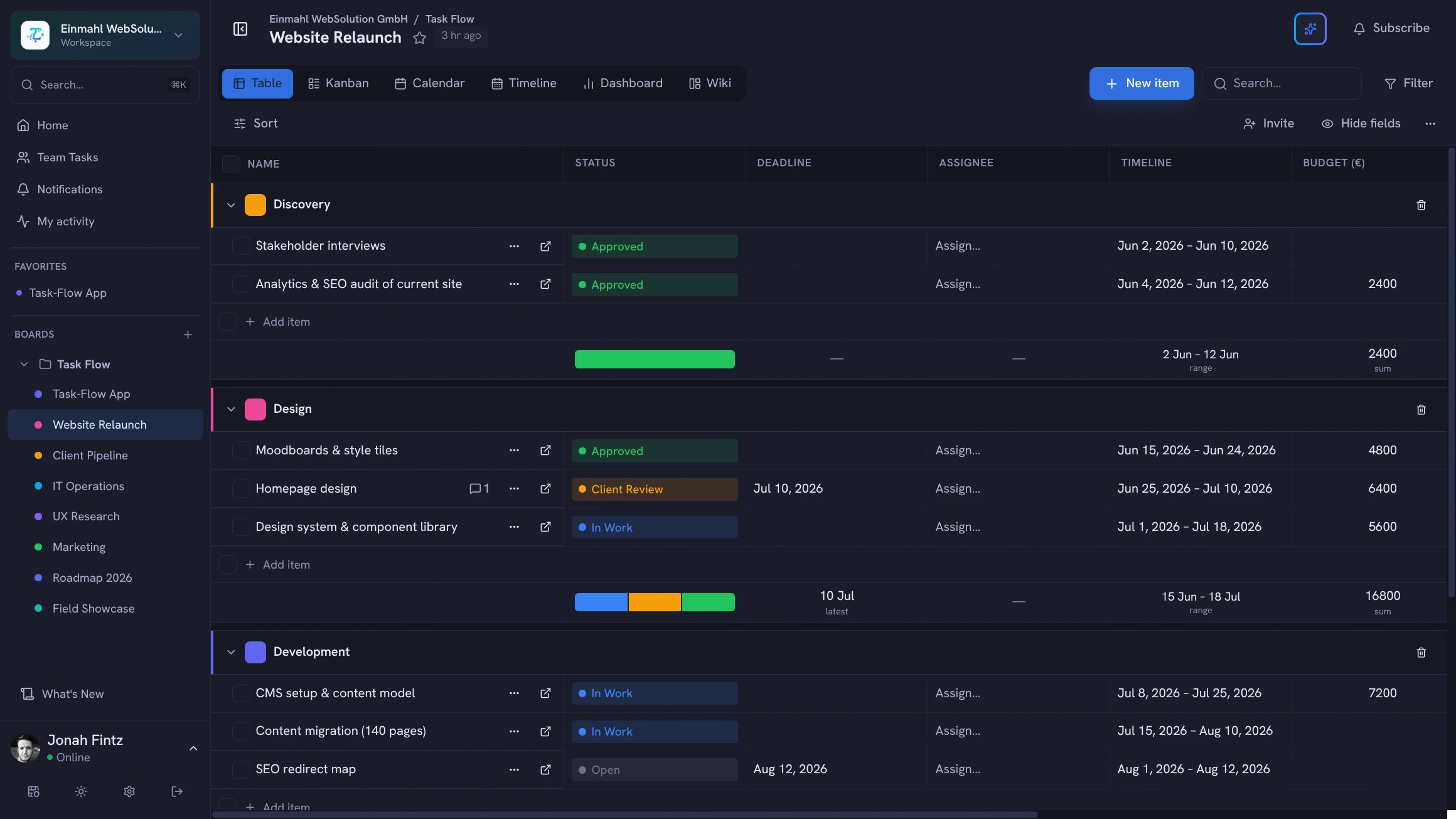
Software teams move fast and need tools that keep up. TskVlo was built with developer workflows in mind — flexible enough to adapt to your process, structured enough to keep everyone aligned.
Custom Workflow States
Forget “To Do / In Progress / Done”. Define status options that reflect your actual process:
Backlog → Scoping → Development → Code Review → QA → Staging → Released → Won't Fix
Color-code each status. Add a PERSON field for “Reviewer” alongside your standard “Assignee”. Stack fields that matter for your team — story points, sprint tags, linked PRs via URL fields.
Item Dependencies
Block tasks that can’t start until others are done. TskVlo tracks blocking relationships between items — preventing teams from starting dependent work prematurely and giving leads a clear picture of the critical path.
Example: Frontend task for “User Profile Page” is blocked by “User API endpoint” backend task. The frontend task is flagged as blocked until the API task is done.
Automation for Sprint Workflows
Set up rules that handle the mechanical parts of sprint management:
- When status changes to “Done” → notify the QA assignee
- When due date passes and status ≠ “Done” → flag as “Overdue”
- When sprint tag changes → reassign to the corresponding board group
Bug Reports Straight into the Backlog
Start a bug board from the built-in Bug Tracker template, then add a public bug report form so testers, support staff, or customers can report issues without a TskVlo account. Ask for severity, affected version, and a link to a screenshot; each report lands in your triage group with the answers already in the right fields. Embed the form on your status page or help center so reports come in where users already are.
AI-Assisted Triage
Connect Claude via MCP and let your AI assistant help with triage:
“Create bug tasks for every item tagged ‘regression’ in the QA column and assign them to the developer who last touched the related feature”
“Show me everything assigned to the backend team that’s overdue this sprint”
CI/CD Integration
The REST API makes it easy to update task status from your deployment pipeline. Mark tasks as “Released” automatically when a PR merges to main. Pull task data into your release notes generator.
Data Privacy & Control
Keep your roadmap, technical debt backlog, and security-sensitive task data in one hosted workspace, run by Einmahl Works — no servers for your team to maintain. Separate workspaces keep projects isolated, roles control who can edit, and members can be restricted to selected boards.