
TskVlo’s Agents section brings coding agents into the same workspace as your boards, wiki, and files. Connect a git repository, describe what should change — or start straight from a task — and an agent works on its own branch while you watch. You review every change and decide what gets pushed and merged.
A Private Agent Container per Workspace
Every workspace gets its own private agent container. It is created as soon as an admin adds the first AI provider, and from then on TskVlo starts, stops, and updates it for you. There are no runners to host and no controls to babysit.
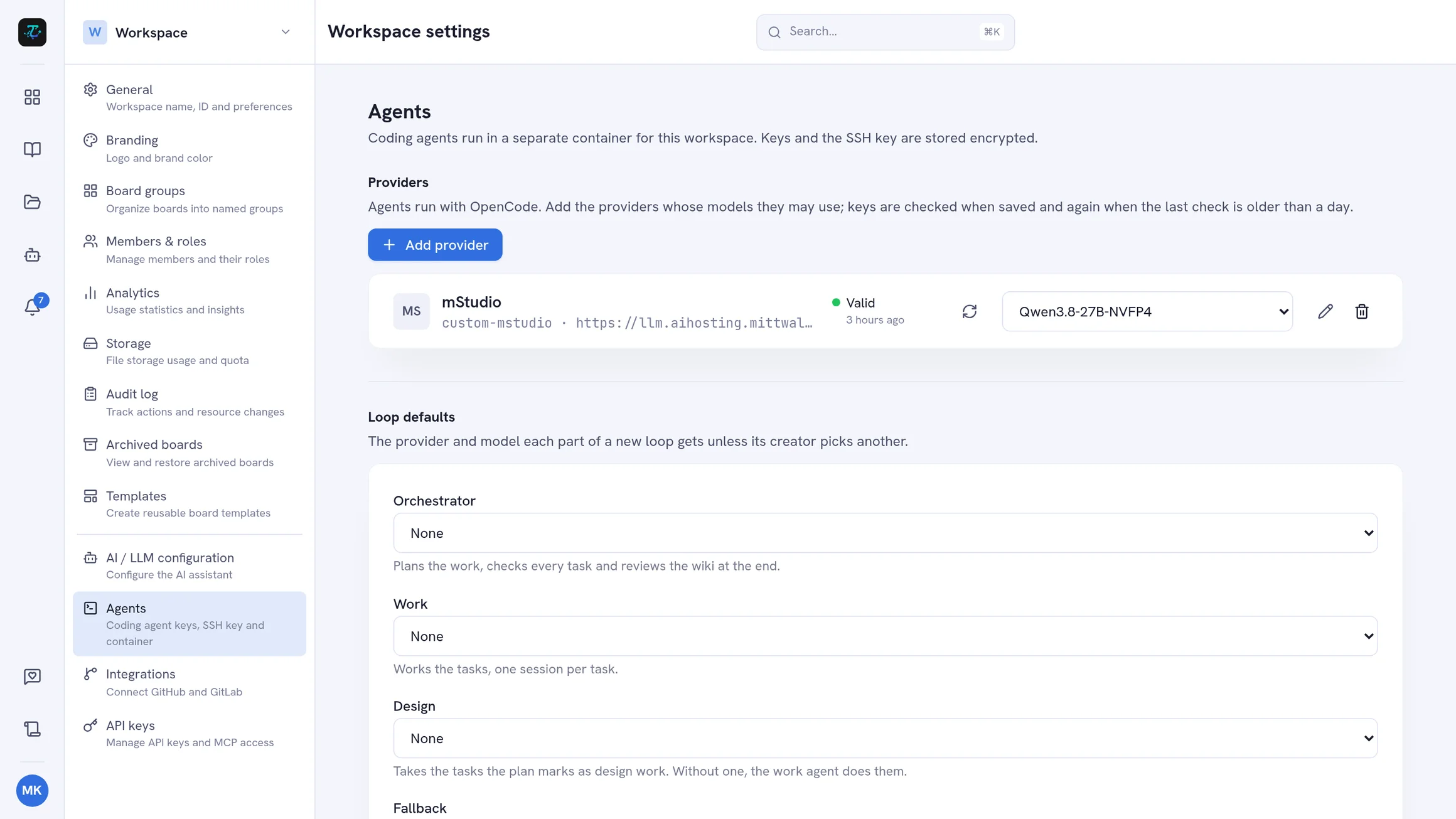
Admins add providers under Workspace settings → Agents: OpenCode Go, Mistral, OpenAI, or any OpenAI-compatible endpoint. Keys are checked when you save them, stored encrypted, and the provider’s model list is read automatically. The same page shows the workspace’s SSH deploy key to add to your repositories.
Projects
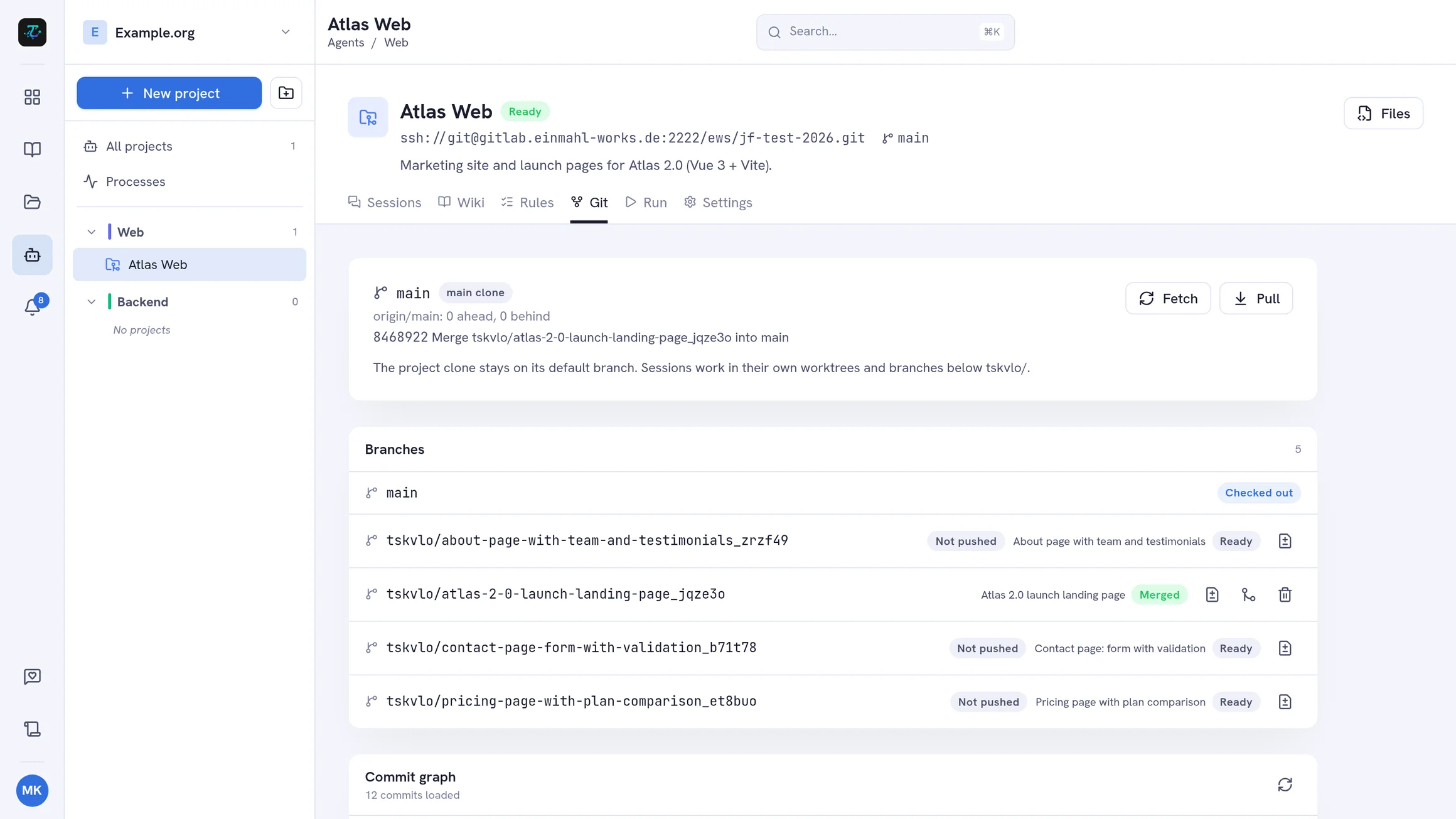
A project is a git repository, added by its SSH remote. Projects are sorted into colored groups in the Agents panel, and each project has its own tabs:
- Sessions — the conversations with agents on this repository
- Wiki — the project wiki every agent reads first
- Rules — standing instructions for every agent: conventions, how to run the tests, what not to touch
- Git — branches, which session owns which, and a commit graph
- Run — the run configuration of your app
- Settings — name, group, icon, and which tools the project’s agents may use
Sessions: One Agent, One Branch
Start a session, pick the provider, model, and base branch, and tell the agent what to do. Every session gets its own branch and worktree, so several sessions of one project can run side by side.
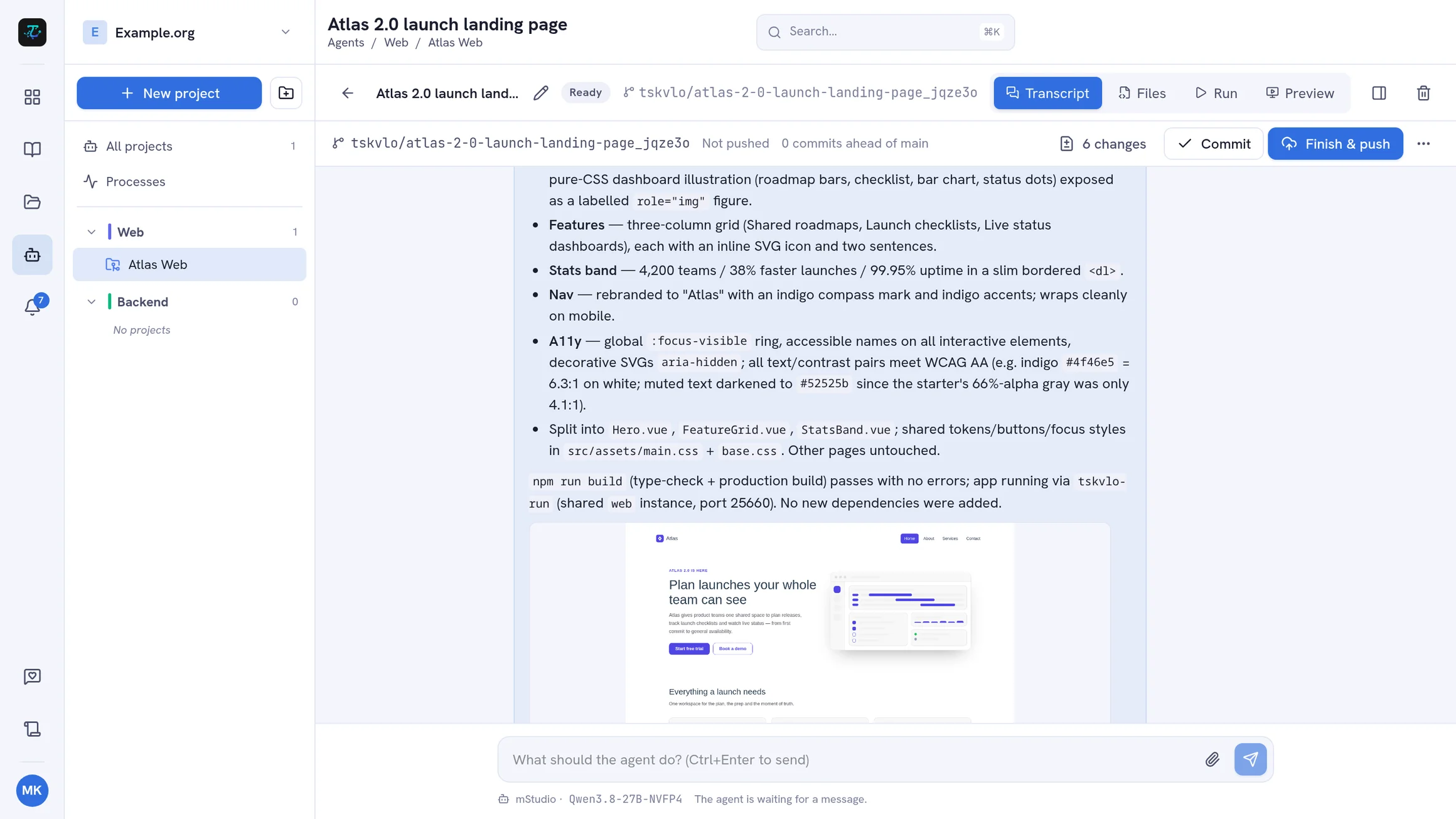
The transcript streams in live: the agent’s messages and reasoning, every tool call with its diff, the agent’s todo plan, and screenshots it takes. While the agent works you can queue follow-up messages, stop the current turn, and attach images or zip archives. When the workspace AI is configured, sessions name themselves after their first message.
Review, Commit, Push, and Merge
The git bar under a session shows its branch and what changed:
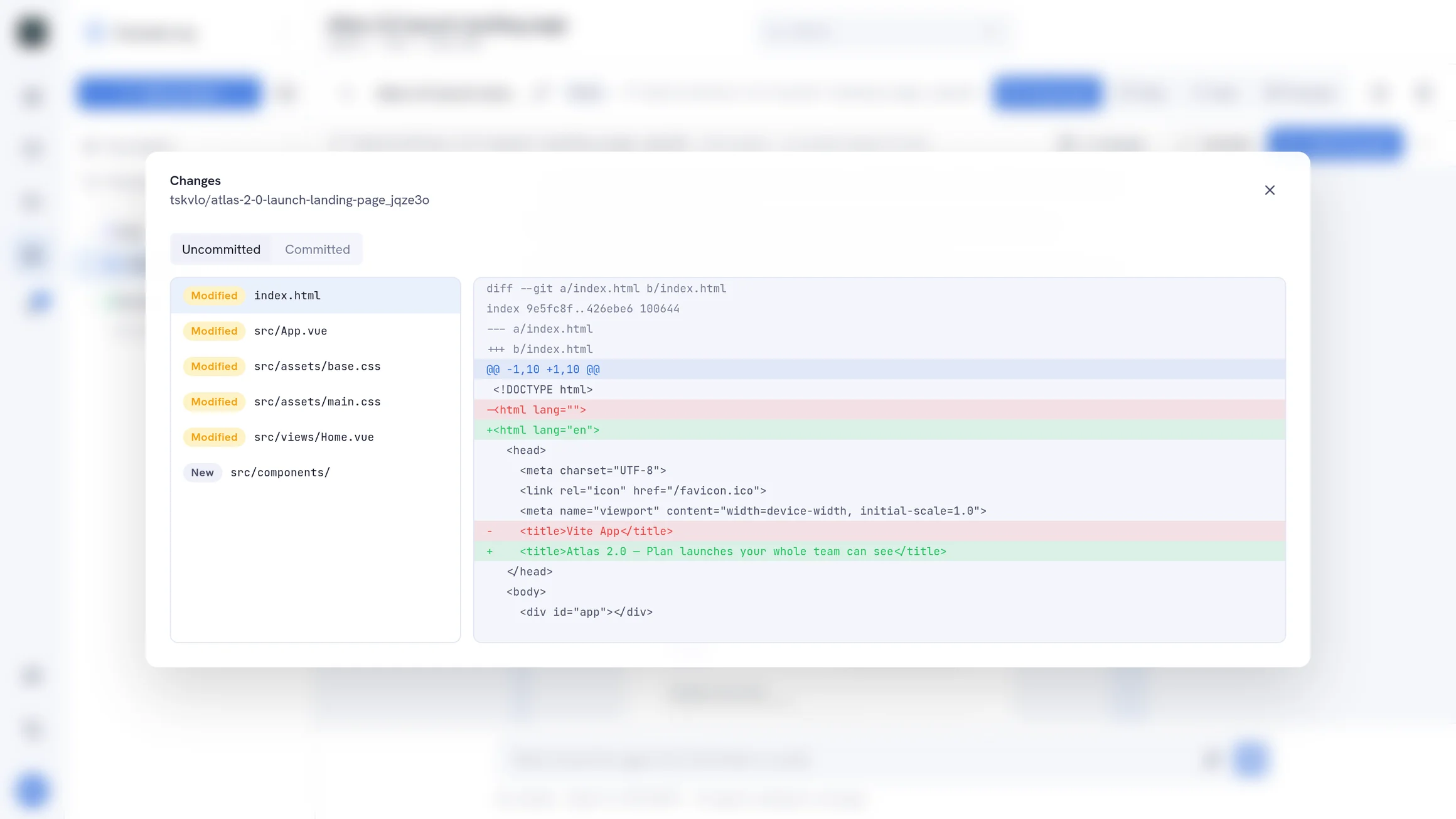
- Changes — every changed file with its diff
- Commit — commits as you, with an AI-written message on request; the repository’s Lefthook hooks run as usual
- Finish & push — commits what is left, optionally lets the agent update the project wiki first, and pushes the branch
- Merge — merges the pushed branch into its base
Need to fix something by hand? The built-in file editor opens the session’s worktree with changed files highlighted.
Loops for Bigger Work
Some requests are too big for one conversation. Switch on Run as a loop and an orchestrator plans the request into tasks with criteria. Review the plan and approve it, or say what should change. Fresh agents then work the tasks one at a time; the orchestrator checks each result against its criteria, and every task that passes becomes its own commit.
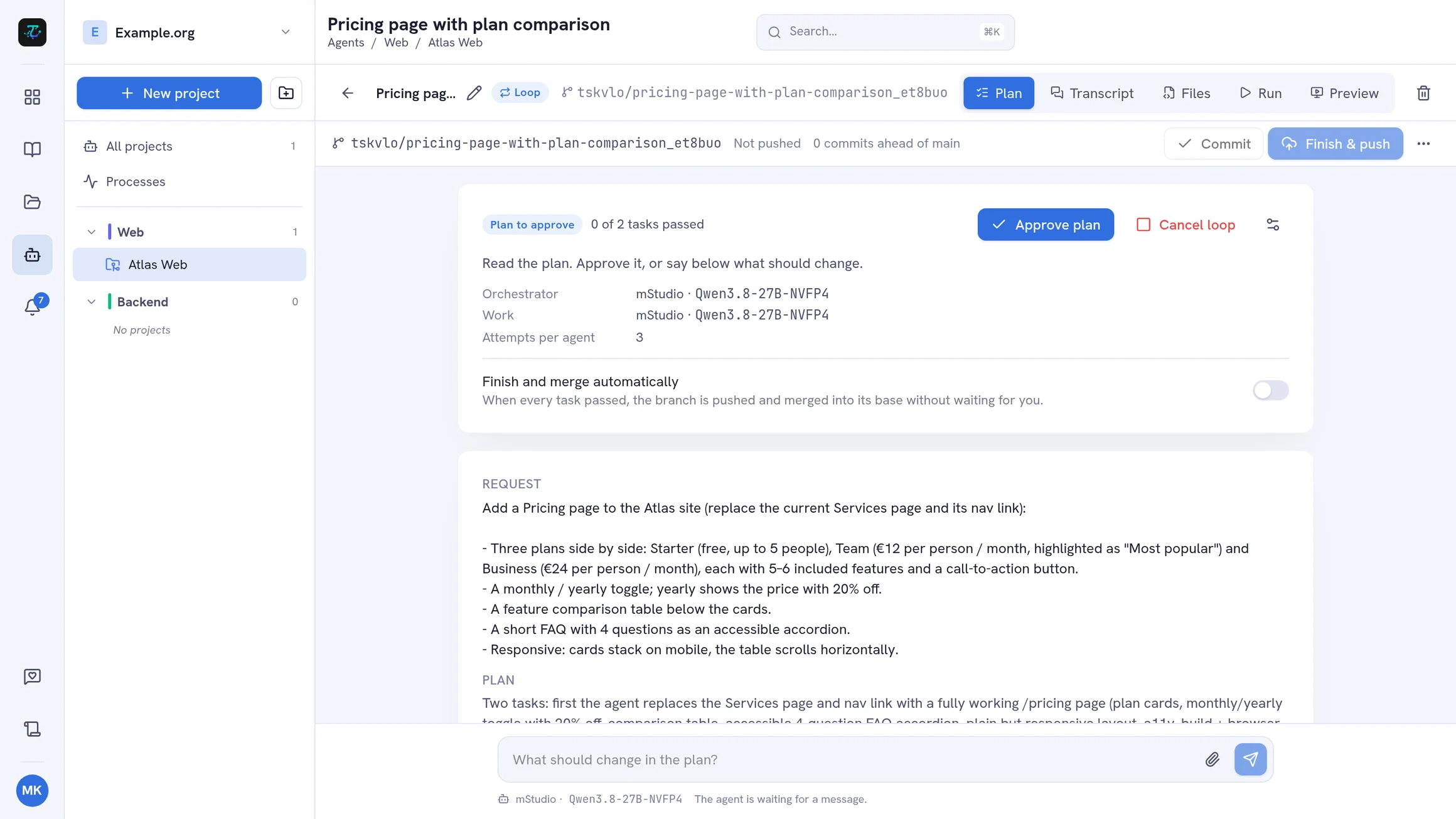
You can pause, resume, retry a blocked task, or cancel — and choose separate agents for the work, for design tasks, and as a fallback. When all tasks have passed, ask for more, finish and push, or let the loop finish and merge automatically.
Start from a Task
Coding agents are wired into your boards. In a task’s Code tab, click Start agent session and pick a project and model: the task’s title, description, and comments become the agent’s first message. Commits that are pushed or merged are linked back to the task when the workspace has a GitHub or GitLab connection for the repository — so the board shows what was built for each task.
Run Your App and See It Live
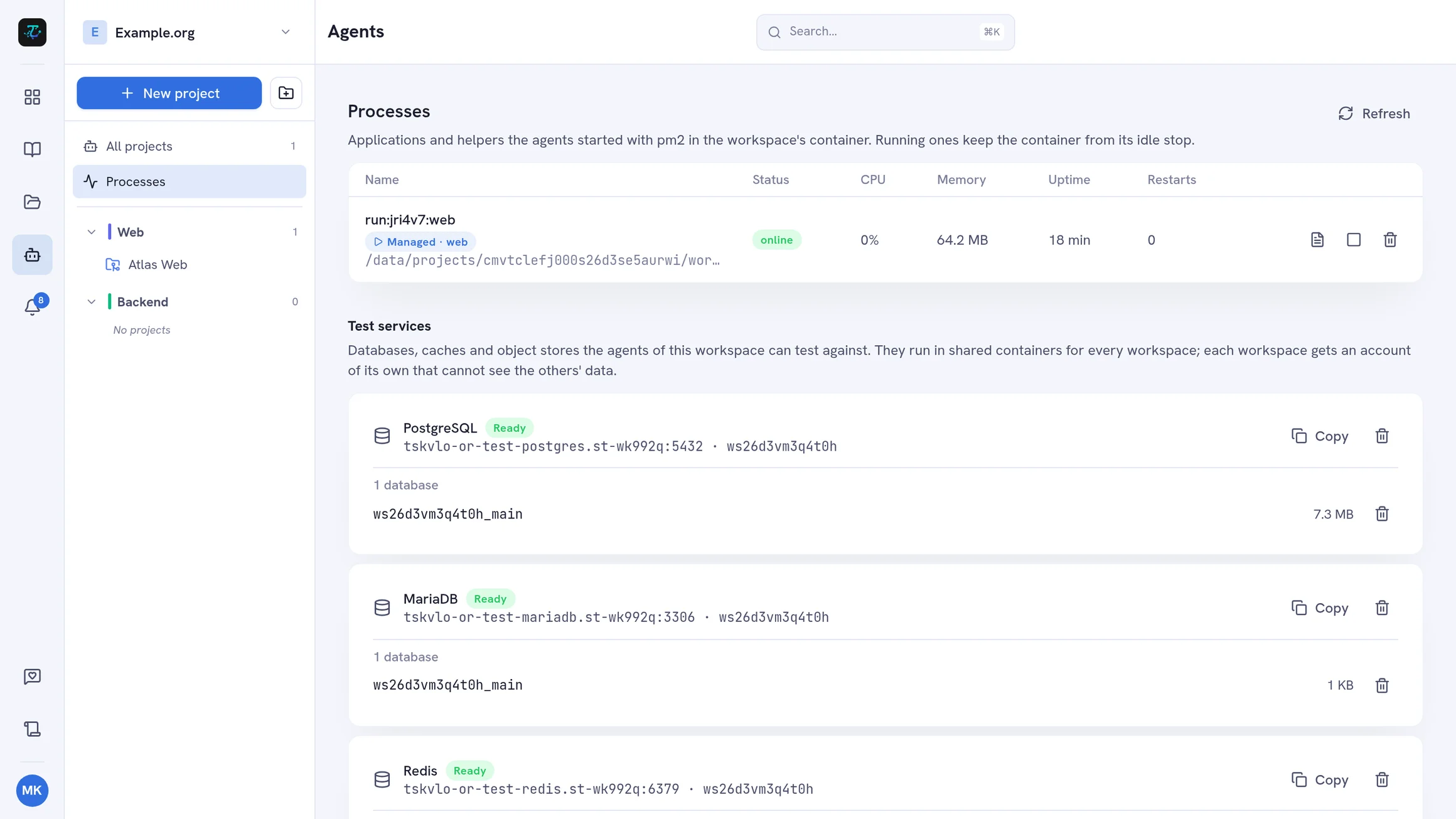
A project can declare its app’s processes in a run configuration — setup step, command, port, environment, and dependencies between processes. Start, stop, restart, and set them up per session with live logs. Environment values can use templates for test-service credentials, per-session databases and buckets, ports, and preview URLs; secrets are stored encrypted, outside the repository. Agents control the very same processes.
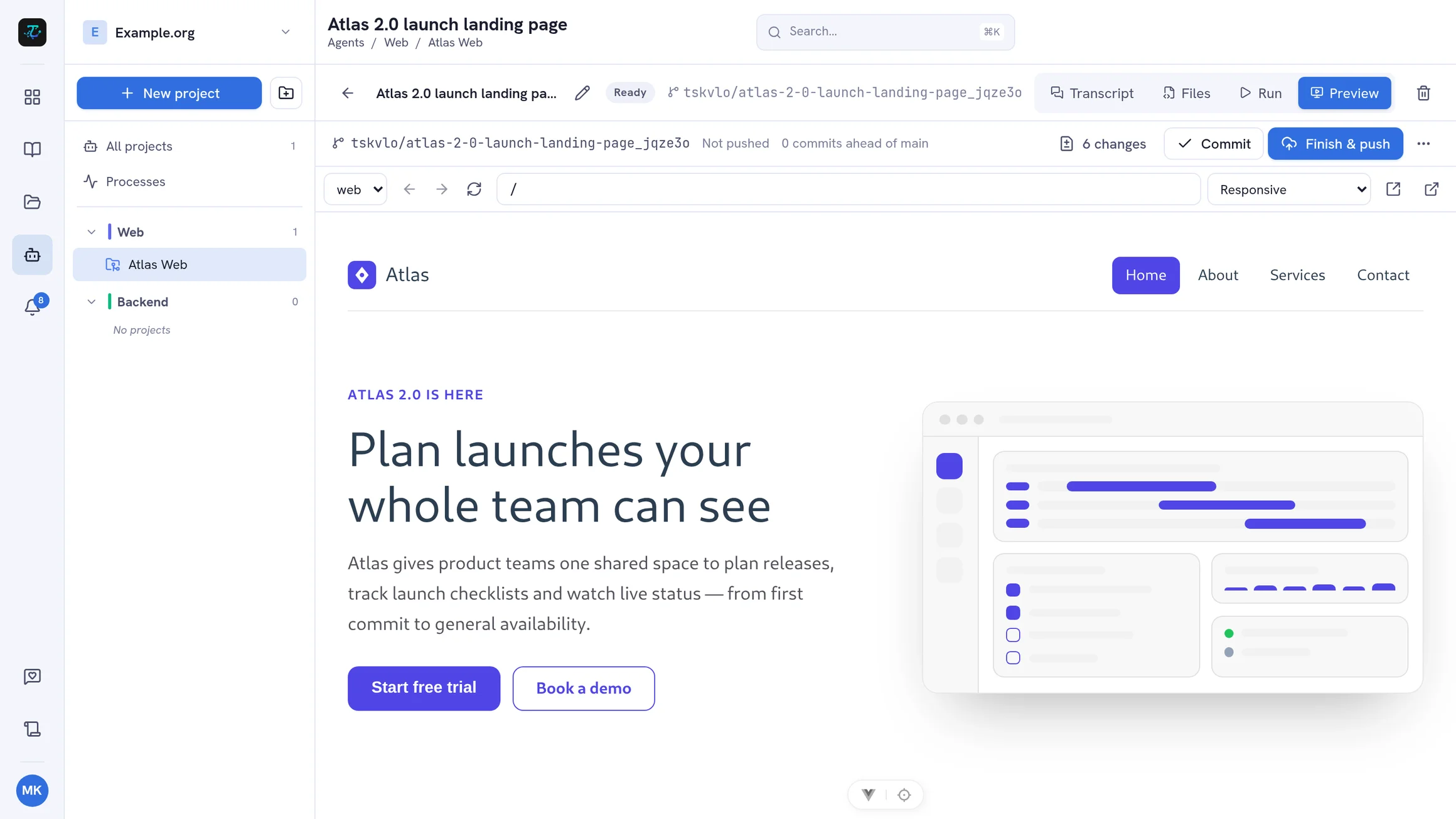
The live preview shows the running app on its own private address per session — next to the chat, as a full view, or in a separate tab — with device sizes from phone to desktop, rotate, and scale to fit. Hot reload keeps working.
Test Services
Agents need something to test against. Admins add PostgreSQL, MariaDB, Redis, or S3 test services; each workspace gets its own isolated account, and agents are told the credentials automatically. They can create more databases and buckets as they need them.
Project Wiki and Rules
Every agent starts by reading the project wiki: a short markdown document in the repository that explains its purpose, layout, and conventions. Let an agent write it for you, edit it by hand, and choose how long it may grow. Before a session is pushed, the agent can bring the wiki up to date, so the next agent starts with current knowledge. Rules add standing instructions on top.
Tools and a Browser
Admins can offer the workspace’s MCP servers to agents — with headers or an OAuth sign-in — and each project switches them on in its settings. Agents also get a built-in headless browser to open pages and take screenshots, which show up right in the transcript.
Notifications and Permissions
You get a notification when a session finishes or fails a turn, and when a loop waits for approval, is blocked, has failed, or is done. Members create projects and start and steer sessions; viewers can read every transcript but cannot send messages.
Ready to try it? Follow the step-by-step guide: Work with Coding Agents.